Showing posts with label Categories. Show all posts

Wednesday, January 28, 2009

WidgetBucks Publishers Earning More with YieldSense Without Lifting a Finger

Dean Jutilla, Director of Marketing & Social Media

Chances are you're into online publishing and blogging to create content that interests you, and not necessarily because you're passionate about online advertising. But truth be told, you probably spend significant time on your advertising because, well, it's an income stream and there are bills to pay.

Well, we hear you. Today, WidgetBucks has launched a solution designed to help you out. It's called YieldSense, which is new ad technology that maximizes the rate of return on your WidgetBucks ad widgets. And what's even better news? You don't have to lift a finger.

Once you've signed up and created your widget with a self-selected product category (laptop computers, for example), YieldSense automatically tests (translation: you do nothing) your selection's performance against a whole variety of other product sets to determine the one that makes you the most money (highest eCPM). Essentially the top-earning earning products categories on your site get the highest rotation.


YieldSense has been beta tested for about three months with thousands of publishers across millions of impressions. The results have been nothing short of fantastic. On average, publishers have seen around 60 percent increase in their CPC eCPM and some have even seen 200-300 percent booms in their CPC eCPM. Across the board, four out of five publishers have seen improvement.

On particular publisher -- Techno4.us, a social networking site that serves 75 million ad impressions a month -- saw the eCPM of one particular WidgetBucks ad grow 156 percent to an amount nearly two and a half times the industry average eCPM for social networking sites.

Techno4.us owner Rigo Rojas: “WidgetBucks is my top earning network because their ad widgets don’t look like typical ads. They are different and catch the attention of the audience, making them more effective. Plus WidgetBucks is easy to deal with and treat me like a business partner."


So today, YieldSense analyzes shopping products. In the coming months, it will determine the highest yielding channels/content feeds (shopping, text, local, travel) and ad models (CPC, CPM, CPA) for your site or blog.

To find out more, view the YieldSense product overview or this demo.

- Dean

Tuesday, January 13, 2009

Top 5 WidgetBucks Support Questions

While WidgetBucks transitions to a new and improved customer support ticketing system, we thought we'd provide a summary of top issues coming into our customer support team:

1. Why are my eCPMs fluctuating?
We're seeing a combination of things happening, not just across the WidgetBucks network but the industry as a whole: First, simply put, Q1 is not Q4. Each year, during the holiday season, price premiums are built into Q4 ad spends, and as the shopping season passes and enters the new year, those premiums tend to go away. This year is no exception and is a trend we also saw last year on the WidgetBucks network. History has shown that this tends to rebound as the quarter continues.

Second, as the economy has impacted brand budgets, we're seeing more movement, both coming and going, of advertisers across our network. We're working with existing ad partners, as well as pursuing new relationships, to maintain eCPM (effective cost-per-thousand impressions) as things stabilize after the holiday. Nonetheless, see this report on TechCrunch around the trending of eCPMs industry wide.

Our No. 1 goal is to make you, the publisher, more money than on any other network -- and that's what we're committed to. If you are experiencing issues with eCPM, we encourage you to contact Tue Pham (pronounced 'Tray'), Senior Publisher Network Manager, at tue.pham [at] widgetbucks [dot] com (pictured).

2. Why is my application being denied?
WidgetBucks is focused on securing advertiser relationships to create the most revenue for our publishers. As a result, our advertisers need assurances from our team that content on sites containing WidgetBucks ads is conducive to their brand values, and meets our Terms of Use. Applications from sites that contain adult and gambling content, or those with offensive language, get denied. Also, sites that are not completed, still in development or have just a single blog post on them will also get denied. This is consistent across the industry when it comes to approvals (BlogCatalog is another example).

3. Why has my account been suspended?
We are finding that a majority of sites that get suspended are a result of miscategorized or misrepresented content. When this is determined by our content review team, standard protocol is that we email the publisher to alert them of the issue. Frankly, when the content is grossly misrepresented, suspension typically happens immediately. When the misrepresentation is borderline, we contact the publisher and provide them 24 hours to make any adjustments, and if those aren't made or there is not response from the publisher, the account is suspended. Note those that do respond and/or we connect with regarding issue -- and it's resolved -- we can get reactivated quickly and back on the road to top-notch earnings.

We also have sophisticated and proprietary click fraud and impression fraud filter systems in place, and track these systems continually. Refer to WidgetBucks Terms of Use for more details on what content is allowed and restricted.

4. Why is my widget not appearing?
In July, WidgetBucks provided CPC and CPM Country lists, meaning that site traffic from those countries earns revenue based on its designation. For example, visitors from the U.S. and U.K. represent CPC earnings, whereas visitors from India and Ireland represent CPM earnings. If you have installed WidgetBucks ads on your site but they are not appearing, you may be viewing the ads from a non-CPC or CPM country, and therefore no ad would appear for you but WILL appear for people viewing your site from a CPC or CPM country. If you are from a CPC or CPM country, and your WidgetBucks ads aren't appearing for you, please contact tue.pham [at] widgetbucks [dot] com

5. How are payments calculated and paid?
WidgetBucks distributes payments, earnings and commissions to publishers up to 45 days following the month your account balance reaches $50 or more. These are sent primarily via PayPal, with some also receiving checks. WidgetBucks generally does not send checks to countries outside of the U.S.; however, if you are approaching the $50 theshold (and you can't receive PayPal in your country), contact WBHelp [at] widgetbucks [dot] com to make special arrangements.

If you have other questions that weren't addressed here, contact WBHelp [at] widgetbucks [dot] com

Thanks again for using WidgetBucks on your site or blog!

- Dean

Tuesday, November 25, 2008

Thanksgiving, Black Friday and Other Ways to Make Money Through WidgetBucks

Like Christmas week, here in the US, Thanksgiving week seems to be all about spending money.

Whether it’s the countless dollars spent on Thursday’s feast or the highly anticipated shopping deals Friday morning, the retail sector loves Thanksgiving!

Well here at WidgetBucks, I’ll be honest in that we love it as well because this time of year is outstanding for taking advantage of shopping widgets and optimizing them for maximum earnings. You owe it to yourself to take advantage of the shift in shopping mentality and to improve your earnings this holiday season.


With that in mind let’s go over the best tips for providing some extra cash in your wallet using our shopping widgets.

1. Not all product categories are created equal. Too many publishers I see pick the categories they feel are the higher RPC (revenue per click) or the perfect product match to their users without ever rotating in other product sets. A perfect example is a recent test we did on a large social network geared towards Hispanics. The default product set chosen was "Laptops," however in doing additional testing, 3 other categories performed higher (Digital Camera Accessories, Celebrity Kitchen Wares and Strollers). While I won’t try to determine the reason those performed better, the point is that sometimes the best-performing product set isn’t the most obvious. And in case you’re wondering what the increase was, it was between 5-35% higher eCPM.

2. Placement matters. I see a LOT of sites each day that are understandably a broad range of quality and content. And of course in viewing a few of them, I really think that more ads do not mean more money. A lot depends on how you’re gaining your traffic, but if you’re after repeat traffic, having a page plastered with ads, pop-ups, and interstitial advertising may not be the best strategy. Consider what experience your users are looking for on your site and if the level of ads shown is driving away traffic or an accepted part of your service. Gaming and video/news sites are great examples where most people have no problem with the level of advertising because they really want the content.

Also with that in mind, think about the placement of your ads and the goal of each ad. You want to marry the type of advertising with where it’s going to be most effective. CPC ads by their very form of payout are all about getting that user to click. So why would you bury a CPC widget where the user is not likely to see it? If you are running multiple ads on your site, then it is very easy to spend a couple of days playing with swapping around networks in different places to determine who does best where. Maybe the WidgetBucks hybrid widget does best on the Right rail instead of a Leaderboard because as it switches to shopping products, that’s where the users' eyes are more drawn and possibly see a product that interests them.

3. Geo-targeting is your friend. Understanding where your users are coming from is a big “Aha!” moment in helping to maximize your revenue. I’ll assume everyone is using some kind of analytics solution like Google Analytics (if you’re not…do yourself a favor and get started.) Knowing where your traffic is coming from can help you optimize your advertising to those users. Of course WidgetBucks does a bunch of leg work to geo-target and show appropriate advertising, however the honest truth is we don’t cover every country and our CPMs may not be optimized for the country from where your traffic comes. There are a number of ways that you can do your own geo-targeting that are not too complicated and you can look for advertisers that might service countries that we don’t cover. For a current list of countries we serve please click here.

And lastly to re-emphasize all of the above, the best way during the holiday season is to Test, Test, Test. This time of year, many people are on vacations so historically big internal development projects for sites go quiet, but advertising testing is relatively easy and non-impactful to your users, only providing opportunities for more revenue.

Next post I’ll spend a little more time talking about how you can effectively test and make sure you’re getting the lift you’re seeking and understanding the data.

Happy Thanksgiving, everyone!

Gary Kamikawa
VP, Interactive Marketing
WidgetBucks

Tuesday, November 18, 2008

WidgetBucks Rolls Shop-in-Widget Holiday Creative

Some of you may have noticed that new shopping ad widget designs, including Shop-in-Widget, are now available within WidgetBucks. These are all-new looks for the season: Thumbnail Bonanza, Single Product Showcase and Triple Product Showcase. Those publishers who choose to spread some holiday cheer within your ads can apply the "Sensible Santa" skin to attract clicks from shoppers. (see left) See this creative highlighted on AdBlab.

You might be wondering about Shop-in-Widget and what it means. These new shopping ad widgets all feature interactive search capability, so in addition to the products you wanted to appear, site visitors can proactively search for a desired product. Upon doing so, they are presented with product search results without leaving their existing Web page.
Within this shopping pop-up (example above), they can find their desired item, along with options for free shipping, discounts and deals, brands and various price ranges to suit their budget. When they click on a item within the pop-up shopping window, they will be taken directly to a merchant site just as they would if they click on the pre-defined product images in the widget.

For those in the U.S., Canada or Western Europe, type "digital camera" (or other item title) into the search box of the Sensible Santa shopping widget to the left, and then click "Search." You will then have various digital cameras presented to you in resulting pop-up window. For publishers outside those geographic areas, sample screen shots are within this post.

You'll find all these new designs within the "Create New Widget" page once you select the "Shopping" channel.

Here's some more details on the new designs:

**Thumbnail Bonanza - this widget shows a variety of products at once and highlights each product individually, giving publishers several chances to earn high-paying CPC revenue
(Early tests show this to be a top performer)

**Single Product Showcase - this ad widget highlights a single product at a time in a carousel fashion

**Triple Product Showcase - this widget is a combination of the previous two, displaying three products at a time and cycles through products individually

- Dean

Friday, October 17, 2008

WidgetBucks Introduces New Domain/URL Approval Process

Within WidgetBucks, we're constantly looking for ways to increase value to publishers and provide better targeting for advertisers. To that end, WidgetBucks has put in place a new system to more effectively verify web addresses/URLs where publishers and bloggers are placing WidgetBucks ad widgets.

We have now implemented a process where new publishers will be able to submit multiple URLs/domains at the time of registration. For existing publishers, the immediate and longer-term impact is also detailed below. Again, this process will enable us to provide better targeted advertising that will, in turn, create better value for you as a publisher:

New publishers: When signing up with WidgetBucks, new publishers can now submit between one and five URLs/domains, each of which WidgetBucks support team will approve or decline. So it is quite possible that a publisher would be approved by WidgetBucks, but particular domains would not.

When publishers are notified via email of their approval as a WidgetBucks' publisher, they will also be told which domains were approved and/or denied. They will then be able use the pull-down menu of the approved URLs they entered on the registration page.

Existing publishers: By and large, existing publishers should not have to take immediate action -- only to the extent that you want to place more WidgetBucks ad widgets on
additional URLs. Those publishers already signed up and approved by WidgetBucks will see one of two things as they want to edit and create new widgets:
1) Create new/edit widgets: Publishers will have a pre-populated pull-down of URLs that they have already associated with the widgets they've created (see screen shot above)
2) New URL(s)/domain(s): existing users who want to add URLs to their list can do so by submitting them for approval via the “My Account” tab. Once URLs have been vetted, publishers will be notified via email as to whether the submissions were approved or declined. At this time, there is no cap on the number of URLs for existing publishers. (see screen shot below)

Over time, we will be reviewing all existing publishers' URLs. If particular sites or domains are questionable based on our Terms of Service, we may be in contacting you directly about it.

If you experience issues with this process, the WidgetBucks support url is support [at] widgetbucks [dot] com.

- Dean

Thursday, October 16, 2008

Here & There, Part Deux: More Local, Travel Ad Widget Sizes Now Available

Starting today, publishers now have access to more sizes and versions of the recently-launched local and travel ad widgets from WidgetBucks. The new sizes can be found when creating or editing an ad widget on the MyWidget page:
Local
Three additional sizes have been added, including a blog sidebar (160x300), medium rectangle (300x250) and leaderboard (728x90), all complementing the original 160x600 size. Across each of the sizes, these geographically-targeted, animated ad widgets show users relevant real-time content such as weather, gas prices, top businesses, restaurants and more.

Travel
We've also released a variety of versions and sizes specific to the interactive travel search widget. The original size available -- a leaderboard (728x90) -- expands down the page as a site visitor rolls over the ad. Publishers can now elect the same size widget to expand up the page upon rollover. Similarly, we have created two additional new sizes -- wide skyscraper (160x600) and medium rectangle (300x250) -- each of which expands left or right of the original ad window, depending on publisher preference.

An important note about these left and right expanding ad widgets: Please ensure that the widget you select expands in the appropriate direction for its page placement, and know that some templates on sites such as Blogger do not support expanding widgets.

These widgets show real-time travel deals to multiple destinations based on a user's origin. Along with the interactive travel search widget, other travel ads exist for hot deals, as well as destination and origin-based deals.

We encourage publishers to give these new widgets a try. Like our shopping widgets, they are engaging, graphically-pleasing ads and easy to load into your page.

- Dean

Thursday, September 18, 2008

Here & There: WidgetBucks' Local, Travel Ad Widgets Arrive

WidgetBucks today announced the release of its two newest ad widget verticals: local and travel. New publishers can now apply for access to these new ad widgets, while existing publishers and bloggers will have these verticals come available within their accounts over the next 7-10 days.

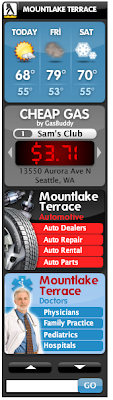
Local ad widgets are targeted to user’s specific geographic location and offer a combination of highly-relevant information such as weather and gas prices along with performance-based ads such as local businesses and services. Click here to see local ad widget examples.

Travel ad widgets show real-time airfares and deals for multiple U.S. destinations based on a user’s closest major airport. Publishers can also choose from among several snappy looking ad creatives that rotate through destination hot spots, such as Las Vegas, New York, Los Angeles and San Francisco. A hot deals module is also available at launch. Click here to see some travel ad widget examples.

Both of the new ad units pay on a CPC basis.

These new ad verticals introduce new ways consumers can interact and immerse themselves in an ad. Smart, application advertising provides people with interesting snippets of real information to help publishers monetize their ad space and brand advertisers see greater return on investment for each ad unit.

“Our publishers are telling us they want the best mix of application-style ads and performance-marketing widgets, and these two new verticals address those needs,” said CEO Matt Hulett.

New Reporting Page
WidgetBucks is also introducing an overhauled reporting interface that provides more digestible earnings figures, trends and charts. As WidgetBucks has expanded its revenue types and sources being paid to publishers (including CPC and CPM in the U.S./Canada, CPC and CPM in Europe and CPM around the rest of the world and more), we felt it was important to provide a simpler way of quickly capturing essential data.

Specifically, publishers will be able to view number of impressions, net revenue and eCPM per widget per day. The widget detail tab will break out the views and net revenue for each revenue stream per widget per day.

You will also notice that the pie charts have been replaced with a bar graph. Under the summary tab, the bar graph will show total net revenue earned by all widgets for that particular day. Under the summary tab, the bar graph will show the total net revenue earned by all widgets for that particular day. Under the widget detail tab, the bar graph will show the total net revenue earned, color coded by revenue stream.

- Dean

Tuesday, July 29, 2008

Ad Widget Skin Gallery, DIY Skin Tools Now Available Through WidgetBucks

What do Batman, Halo, GPS Devices and basketball have in common? If you answered that these represent some of the featured designs in WidgetBucks’ new widget skin gallery, you nailed it.

Today, WidgetBucks is giving its publishers and bloggers more ways to create engaging and attention-grabbing ad widgets by rolling out two new features:

  • Gallery, a catalog of over 125 pre-designed skins to apply to new and existing ad widgets
  • Custom DIY (Do-It-Yourself) tools to design your own unique look-and-feel to ad widgets

Gallery
The gallery of off-the-shelf skins map closely to WidgetBucks’ product categories, including entertainment (Batman, celebrities), tech and electronics (iPhone, GPS devices, XM Radio), fashion (handbags, flip flips), sports and outdoors (basketball, baseball), video games (Halo), and more. They are can be applied to six IAB standard sizes and only impact WidgetBucks’ CPC widgets -- CPM display ads will run without the new designs.

Click here to see a demonstration of how WidgetBucks skins can be used on a blog or Web site (or view a somewhat lower-quality YouTube version below), and then take it for a test drive by visit http://widgetbucks.com

You can also check out two skins in action - one on TechCrunch and another on Mashable.


DIY Skins
Publishers who want to 'pimp their widget skin' can use WidgetBucks' DIY design tools. Two basic applications -- MS Paint and Notepad, both standard on PCs -- are all that's needed to create your own skin (one Mac Paint equivalent is open-source software Seashore). This option gives publishers powerful customization ability to enable very integrated look-and-feel delivery of their WidgetBucks ad units.

How to Get Started
We have revamped the page for creating new and editing existing widgets -- and this is where both the gallery and custom tools are accessed (circled in red on the image at left). We keep track of skins you’ve used and/or built over time, and next month we'll be implementing a community sharing feature for custom-built skins.

- Dean

Monday, June 9, 2008

Electronics/Gadgets Lead Way in Skin Poll

A recent poll of publishers has Electronics/Gadgets skins as the preferred skin style, gaining 15 percent of the nearly 200 votes. Tech/Computers and Entertainment/Pop Culture are tied for the second most preferred style, each receiving 13 percent of the votes. a Video Games style has also been a popular choice. The poll is below and remains open through Friday (June 13) so be sure to let us know what you'd like to see in a skin gallery on WidgetBucks.

- Dean


Monday, February 25, 2008

New Impulse-Buy Categories Added; Display Ads Now Live

Hybrid Widgets Now Live
Before discussing the new categories, the short-duration display ads that were to begin this week, have now started. See all the details of this new roll-out on our blog post from Feb. 22. Initially, the display ad/shopping widget hybrid is appearing on 300 x 250 widgets, with additional sizes rolling out later this week.


New Impulse Buy Categories
As we've made a concerted effort to get as site-category specific as possible -- which is what triggers higher payments by advertisers -- WidgetBucks has added 16 new categories from which to choose, and another six more coming online later in the week.

The premise behind the new categories is be attractive to users who may want to impulse buy. It's the same idea behind the quick buys one makes while in the grocery or department store line -- things you didn't intend to shop for but willing to buy because of the reasonable or low price point.

So we've created a variety of new types of categories, including software (tax preparation, PDA, Web publishing), event tickets, ink jet printer cartridges and accessories for HDTVs, GPS devices, PDAs, digital cameras and photography in general, as examples. We've also added sports attire categories for NASCAR, NCAA (the Tournament starts March 18), MLB (Opening Day is March 30) , NBA and the NFL.

To give some additional perspective on the additional categories, we have noticed that RPCs (revenue per click) have dropped significantly for high-price categories, such as HDTVs, desktop and laptop computers and high-end digital cameras. With the RPC that advertisers are willing to pay tied directly to CTS (conversion to sale) -- and therefore, very unreliable for high-ticket goods -- we've moved to provide these impulse-buy categories (items less than $200) with the intention of stabilizing RPCs.

- Dean

Monday, February 4, 2008

WidgetBucks Deploys Site Category Assignments to Improve CPMs

WidgetBucks publishers looking for increased CPM earnings on non-US and Canada traffic now have the ability to assign their site(s) into one of 40 categories, such as technology, sports, gaming, health and business/finance. Assigning a category to a site where a WidgetBucks widget resides gives advertisers the ability to reach more targeted audience segments and, most importantly, a reason to pay higher rates to publishers. Because we just rolled out this change, it's difficult to estimate the exact increase in CPM but we will provide some trend insight on this over the next couple of weeks. Also, since the CPM platform is a “learning” system, expect fluctuations in CPM rates as it learns what ad content is performing best on your site (i.e. advertisers pay higher CPM rates for ad content that has a good CTR).

Since putting CPM ads in place mid-December, rates have been paid based on generalized country of site traffic -- not a specific type or topic of site -- and therefore rates have been at the low end of the scale. Making this update does not require any code changes to widgets and can be done through these steps:

Step 1. Within “My Settings,” assign a default site category from the pull-down menu. Any new widget created will carry this default as its site category value, however, existing widgets will not be assigned the default -- those will need to be assigned individually (see Step 2 below). The default site category can be manually overridden within a specific widget without impacting other widgets. For example, if the default site category is set to "Music" and a widget is subsequently placed on a health-related site, the "Health" category could be assigned to the new widget to yield higher CPM rates. Also, be sure to select PayPal as your payment method so you can receive payments more quickly.

Step 2. Within "MyWidgets," using the "edit" link for each existing widget, assign a site type (Step No. 6 within that page) that is most applicable to the site where the widget resides. While editing the widget, be sure to check your product choice to ensure those selected are the most appropriate/applicable. See the site category pull-down within a widget customization page.

In other news, WidgetBucks is making a change to its Terms of Service to cap at two (2) the number of WidgetBucks ad widgets that can be placed on any given page. The new program policy within Exhibit A now reads: “Widgets may not be placed on pages published specifically for the purpose of showing ads, whether or not the page content is relevant. No more than 1 to 2 ads per page are allowed.” We want to maintain a healthy and profitable network - a number of sites have WidgetBucks ad widgets plastered on their site – which negatively impacts CPM rates.

- Dean

Thursday, October 18, 2007

New Sizes, Categories Now Available on WidgetBucks

We have added two new ad sizes on WidgetBucks, giving publishers and bloggers more options for their sidebars. Rolled into the fold is a 160x300 sidebar size, essentially a shorter, more "vertically-challenged" version of the original 160x600 wide skyscraper size. The other new size is a more narrow 120x600 skyscraper. Later this week, we'll be adding a few new creative options in 728x90 and 300x250 sizes.

We've also incorporated 11 new categories, including Green Living, Oprah's Book Club, U.S.-Made Lead-Free Toys, and just in time for the campaign trail, popular Left and Right Wing books (in separate categories, of course). The Green Living category includes a few so-called "cradle-to-cradle" items which are getting media attention lately, kind of Green 2.0, while recent toy recalls should make the lead-free toy list popular to visitors.

A few live examples are currently running on this blog, and a 160x300, US-made lead-free toys screen shot is at right. Here's the complete list of new categories:

  • Green living
  • Oprah Winfrey's Book Club list
  • Liberal left books
  • Conservative right books
  • US-made lead-free toys
  • Cartoon collections
  • Top comic books
  • Pet dogs
  • Pet cats
  • Women's ageless skin care
  • Men's ageless skin care
Also remember that updating your widget titles, colors, topics and subcategories is an easy, one-click process. Once you've made the desired changes to an existing widget within the Customize Your Widget page, simply click "Update" and code will automatically adjust on your site. However, if you change the widget's size, you'll need to reapply the code to your site as you did when originally setting it up.

- Dean